
Minikube is local Kubernetes, focusing on making it easy to learn and develop for Kubernetes. It’s a single node k8s setup, that just needs is Docker (or similarly compatible) container or a Virtual Machine environment, and Kubernetes is a single command away: minikube start
In this post we’ll be installing Minikube on a VM running Ubuntu 16.04 LTS
Table of Contents
- what is required
- Installation
- Install docker
- Install kubectl
- Install minikube
- Playing around with Minikube
what is required
- 2 CPUs or more
- 2GB of free memory
- 20GB of free disk space
- Internet connection
- Container or virtual machine manager
Installation
~ update & upgrade the system – update the ubuntu repositories by following the following command
sudo apt-get update && sudo apt-get upgrade -y~ setup Docker repository
sudo apt-get install apt-transport-https ca-certificates curl software-properties-common
curl -fsSL https://download.docker.com/linux/ubuntu/gpg | sudo apt-key add -
sudo add-apt-repository "deb [arch=amd64] https://download.docker.com/linux/ubuntu $(lsb_release -cs) stable"
~ install Docker CE & verify
sudo apt-get install docker-ce -y
sudo service docker status
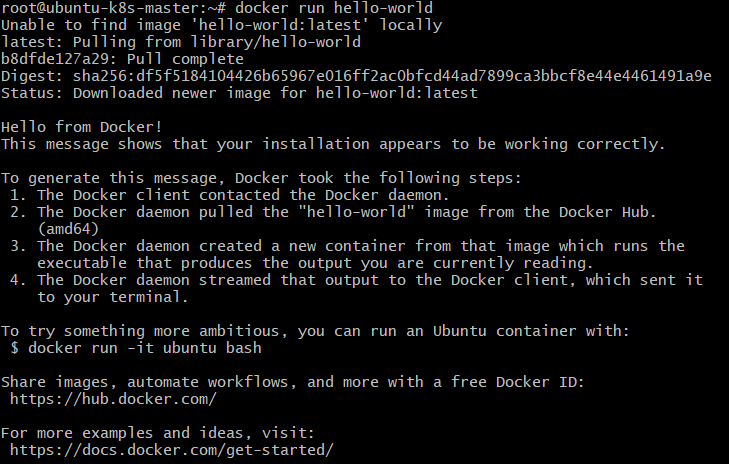
sudo docker run hello-world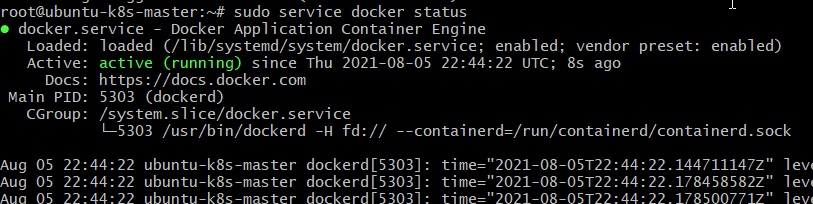
~ install kubectl
sudo apt-get update
sudo apt-get install -y apt-transport-https ca-certificates curl
sudo curl -fsSLo /usr/share/keyrings/kubernetes-archive-keyring.gpg https://packages.cloud.google.com/apt/doc/apt-key.gpg
echo "deb [signed-by=/usr/share/keyrings/kubernetes-archive-keyring.gpg] https://apt.kubernetes.io/ kubernetes-xenial main" | sudo tee /etc/apt/sources.list.d/kubernetes.list
sudo apt-get update
sudo apt-get install -y kubectl
~ install minikube
curl -LO https://storage.googleapis.com/minikube/releases/latest/minikube_latest_amd64.deb
sudo dpkg -i minikube_latest_amd64.deb
~ configure driver with docker
sudo usermod -aG docker $USER && newgrp docker
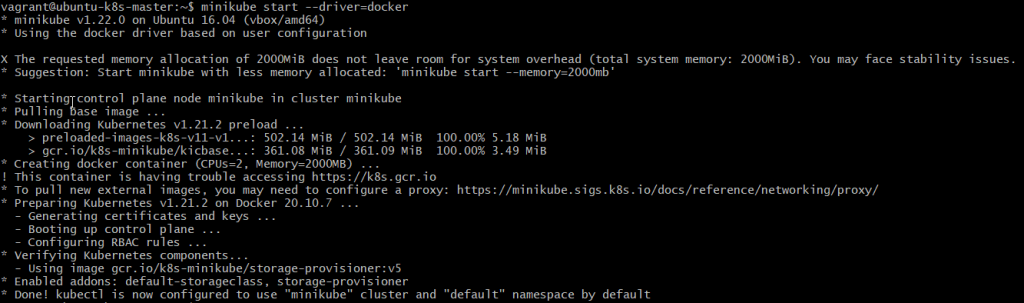
minikube start --driver=docker
after a while the minikube installation is complete
~ configure minikube
minikube config set driver docker
minikube delete
minikube start   ## without the '--driver=docker' argument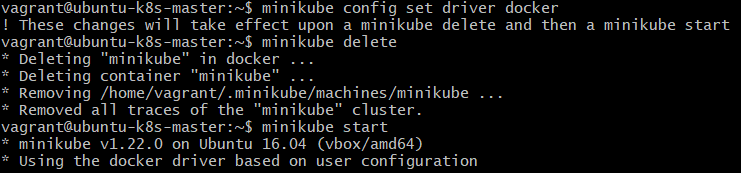
Playing around with Minikube
~ validating minikube installation
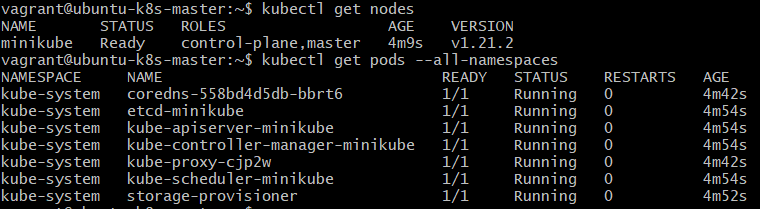
~ minikube commands to explore

In this post, we have successfully installed and configured minikube on ubuntu. There are various options to explore like UI display of the cluster using ‘minikube dashboard’ or having various addons.
Explore & have fun, still have any issues, Please leave a comment.
till then Learn… Share… Grow…
Speak Your Mind